Not everyone who wants to be there can be there.
The same live session works from a sofa, a hospital bed, an overflow room, or another country — on the same link, in the same languages, at the same time. You don't run a second setup for the people who couldn't come.
The audience you already have, minus the travel.
Most rooms have a second audience that nobody planned for. These are the people who show up once you make listening possible from outside the building.
Homebound, ill, or far away
Older members, people recovering from illness, parents at home with a sick child, and anyone who simply lives too far out. They keep the language they need and the session they'd otherwise miss entirely.
Another city, another country
Sending congregations, sister organizations, families abroad, and partner offices follow the same session in their own language, without you shipping anything or scheduling a repeat.
Overflow, foyer, and crèche
The overflow room, the nursery, the volunteer in the kitchen. They're on the same session as everyone in the main hall — a phone and earbuds is the whole setup.
Attendees who bought the online ticket
Conference and training audiences at home get the same language access as the people in the hall, so "remote attendee" stops meaning "second-class attendee".
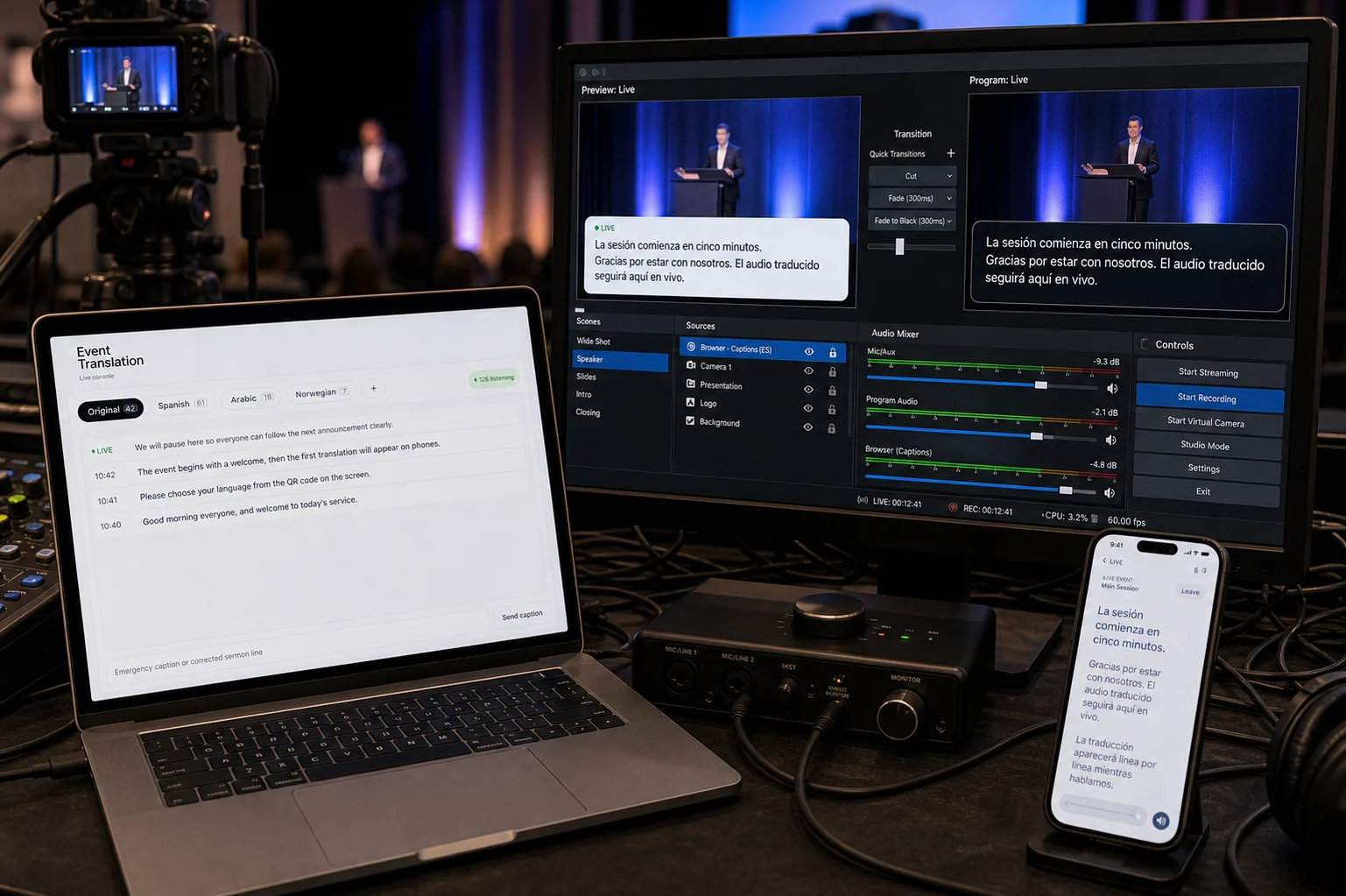
The same link. Nothing extra to run.
A remote listener opens the join link — or your organization's permanent page — picks a language, and listens. From the booth's point of view nothing changes: it's one session, one set of languages, and the people at home are simply more listeners on the same lanes.
- A link, a QR code, or your page — no account needed to listen
- Voice or captions — the same two ways to follow as in the room
- Or the original audio — stream the room's own sound for listeners who don't need translation at all
- No extra language-hours — remote listeners share the lanes the room is already using
- Works alongside your stream — keep your video where it is and let Koine carry the language
Slide back when the doorbell goes.
Listening from home means interruptions. In the Koine app a live session can be rewound while it's still running — go back, hear the sentence you missed, then jump forward to live again.
Rewind while live
Step back through what has already been said in this session, without leaving the live feed behind.
Catch up if you join late
Arriving twenty minutes in doesn't mean starting blind — the transcript so far is there to scroll.
Keep it afterwards
When the session ends the transcript and any recording stay available — see recordings & archive.
The source can be a link.
You don't have to be at the audio desk. Point the booth at a stream, a video, or a podcast episode and it becomes the session source — so a translated lane can run for a broadcast, a rehearsal recording, or an episode your community follows.
Paste the link
Give the booth the URL you want translated — a stream, a video, or a podcast episode from Apple Podcasts, Spotify, or an RSS feed.
Open languages
Choose the languages, exactly as you would for a live room.
Share the join code
Listeners open the same kind of link, wherever they are.
Remote listening questions.
Does a remote listener cost extra?
Not in language-hours — they listen on the lanes your room already opened. Monthly plans do include a listener ceiling per session (75 on Lite, 400 on Standard, unlimited on Pro), and remote listeners count toward it. Event passes never count listeners.
Do we need to run a video stream as well?
No. Many organizations run Koine on its own for audio and captions. If you already stream video, keep it where it is — people can watch your stream and listen to their language on Koine at the same time.
How far behind is a remote listener?
About the same as someone in the room — roughly a second and a half. Video streams are usually much further behind than that, so remote listeners often hear the translation ahead of your own broadcast.
Can people find our sessions without a link?
Yes, if you want them to. Your organization gets a permanent public page listing what's live now and what's coming, and people can follow it — see your page & followers.
Is rewind available in the browser too?
Rewinding a session while it is still live is an app feature. In the browser, listeners can scroll back through the captions but the audio stays at the live edge.